


Kahoot! Kids: Learning Games
4.744.00 Reviews
App Specs
- Version
- 1.3.0
- Updated On
- License
- Free
- Downloads
- 100,000+
- Developer
- Kahoot!
- Categories
- Educational
- Platform
- Android
Screenshots
 Analysis by AppCompare
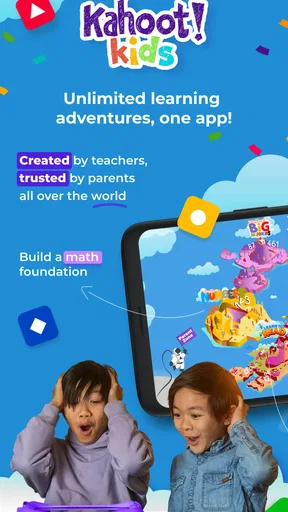
If you’ve been on the hunt for an educational app that’s both engaging and fun for your little ones, then Kahoot! Kids: Learning Games might just be the golden ticket. I recently dove into this vibrant world of quizzes and games, and let me tell you, it’s a fantastic way to make learning feel like playtime.
First impressions: play with a learning purpose
My first impression is that this is best approached as a playful learning companion, not a replacement for schoolwork or a full teaching plan. The game comes from Kahoot!, a developer many families already associate with quiz-based learning, and that familiar question-and-answer spirit gives the experience an easy starting point. Its focus on children’s learning makes it feel more approachable than a general quiz app, especially when a child wants a short activity rather than a long lesson.
The practical question is whether it fits into ordinary family life. I’d use it for a few minutes of reading or maths practice while dinner is being prepared, or as a change of pace after a child has already worked through a worksheet. The strongest reason to try it is that it can make practice feel less like another assignment. The trade-off is that an enthusiastic game can keep a child asking for more, so I’d decide on a stopping point before handing over the device.
Getting Started with Kahoot! Kids
First things first, downloading Kahoot! Kids was a breeze. It's available on both Android and iOS, so no matter what device you’re using, you’re covered. Once installed, setting up an account was straightforward. Parents can quickly create a profile for their child, and before you know it, you’re off to the races!
A World of Games and Quizzes
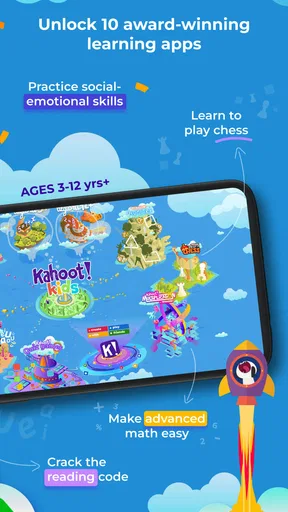
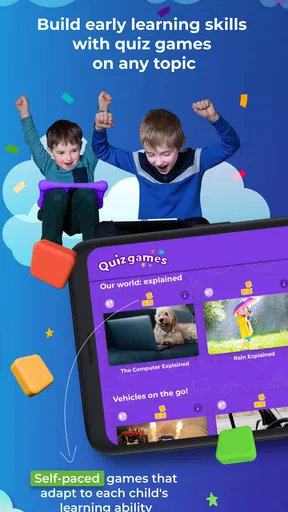
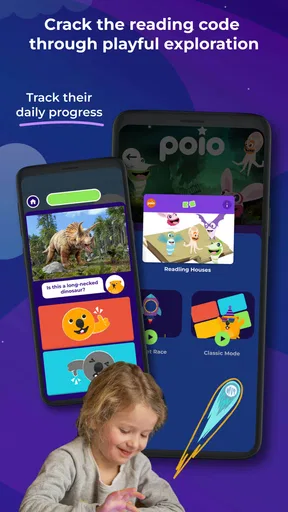
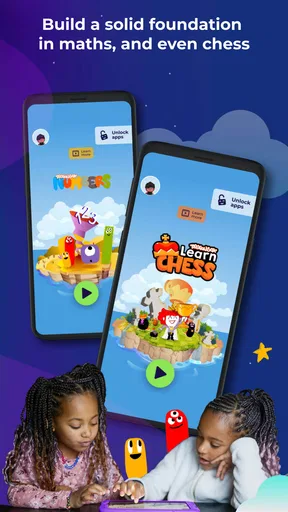
The app is packed with a variety of learning games that cover a wide spectrum of topics. From math and science to reading and geography, there’s something for every curious mind. What’s great is that the games are designed to adapt to different age groups, making it suitable for a range of children.
One of my favorite features is the customization aspect. You can tailor the quizzes to meet your child’s learning needs. Whether they need a little more practice with multiplication or are diving into the wonders of space, there’s a quiz for that.
How its playful world supports learning
In an educational game, visual style is more than decoration: it helps decide whether a child feels invited to continue. Here, the colorful presentation and characters described in the experience give questions a playful frame instead of making the screen feel like a digital test sheet. I find that especially useful for a child who is willing to practise but quickly loses interest when the activity looks too much like formal homework.
Worth Reading Before You Choose

EA SPORTS FC Mobile 26 Is a Bigger Football Game, but It Takes Time

Flipboard Shows What News Apps Must Do Beyond the Feed

Switching to Android Auto Means Rethinking Your Driving Routine

Google Calendar Makes a Crowded Week Easier to Manage

Ludo King Makes the Most of the Minutes Between Plans

Baby Panda World Brings Quick Play to Modern Phones, but Its Game Library Feels Busy
That playful frame does not automatically make every topic equally appealing to every child. A child who loves stories and imaginative settings may respond well to the sense of a small adventure, while one who prefers quiet, direct exercises might find the extra game-like presentation distracting. I’d let the child try a short session and watch whether the visuals help them focus on the question or pull their attention away from it.
Engagement and Interaction
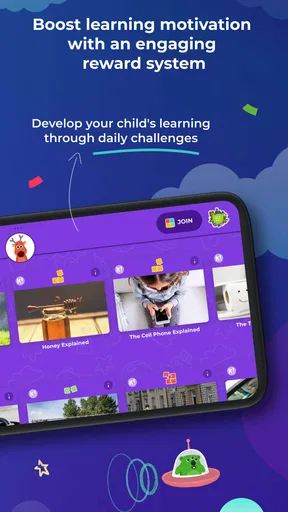
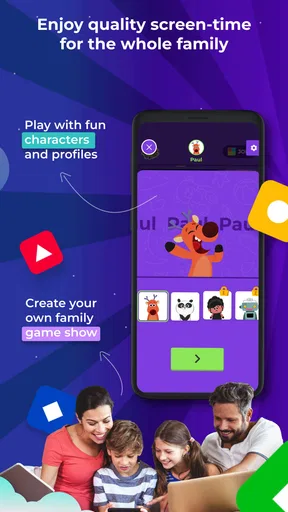
The app doesn’t just throw questions at kids. Oh no, it goes above and beyond with colorful animations and delightful characters that guide children through each game. It’s like having a mini adventure every time they play. Plus, the interactive elements keep the kids engaged and eager to learn more.
There’s also a social aspect. Kids can play with friends, which adds a fun competitive edge. They can challenge each other in real-time, which is a great way to encourage social learning and build teamwork skills.
Sound, pace, and the parent’s role
Sound and pacing matter in a children’s game because they can turn a quick practice session into either a pleasant routine or an overstimulating one. I’d treat the activity as something to sample together at first: see how the child responds to the rhythm of questions and the game’s audio-visual cues, then decide whether it works better as a solo activity or with an adult nearby. That small trial is more useful than assuming every child enjoys the same level of stimulation.
A practical tip is to use a specific goal for each session rather than opening the game with no plan. For example, you might agree to practise a little reading, or spend the session on multiplication, then talk briefly about which question felt easy or tricky. That gives the game a clear purpose and makes it easier to stop without turning the end of play into an argument. I would also keep the device and any account setup under adult supervision for younger children, as a sensible household habit for any app.
Parental Controls and Safety
We all know how important it is to keep our kids safe online, and Kahoot! Kids has made sure to prioritize this. The app includes robust parental controls, allowing you to monitor your child’s activity and set boundaries on usage time. This feature lets parents rest easy knowing their little ones are learning in a secure environment.
Where it fits among children’s learning apps
Compared with a basic flashcard app or a paper workbook, this game’s main appeal is its more playful presentation and interactive question format. A workbook can be better when a child needs to write answers, slow down, or practise without a screen. Flashcards can be simpler for a quick round of recall. I’d choose this game when the hurdle is motivation; I’d choose a quieter, more structured resource when the child needs sustained concentration or a specific lesson sequence.
It also suits a different purpose from a broad entertainment game. Here, the point is to keep learning in view, so a parent can connect play to a skill the child is working on. That doesn’t mean every round will replace deliberate teaching. If a child is confused by a concept, I’d pause and explain it rather than relying on repeated gameplay to do all the teaching.
Learning Made Fun
The beauty of Kahoot! Kids is that it transforms learning into an enjoyable experience. It’s not just about memorizing facts; it’s about understanding concepts through play. The app encourages curiosity and critical thinking, which are essential skills for kids to develop early on.
For instance, one of the math games I explored turned multiplication tables into a thrilling quest. It was so engaging that I found myself wanting to play along!
Choosing a good moment to play
A realistic use case is a child who has finished a short homework task but still needs a little multiplication practice before moving on. I’d suggest one focused game session, then ask the child to explain one answer aloud. That simple step helps a parent tell whether the child is recognising a pattern or simply tapping quickly to keep the game moving. It also makes the activity feel shared without requiring an adult to turn every round into a lesson.
For reading practice, I’d use the same approach in reverse: let the child play first, then invite them to describe a word, prompt, or question that caught their attention. The game can provide a low-pressure reason to revisit a skill, while a conversation checks whether anything stuck. These small follow-ups are useful precisely because a lively interface can make progress feel obvious even when a child still needs help.
Children who enjoy friendly challenges, colourful game environments, and short bursts of practice are the clearest match. It may be less suitable for a child who becomes frustrated by timed or competitive-feeling play, or for a family trying to reduce screen use. In those cases, reading together, using physical number cards, or practising with everyday objects may be a better fit. I would not treat one format as universally better; the child’s reaction and the learning goal should decide.
Practical details before you install
The game is free to download and is rated Everyone, which makes it accessible to a broad family audience. It has a 4.7 average from around 1.3 thousand ratings, with over 100 thousand installs. I take those figures as a sign that many people have tried it, not as proof that it will suit every child. The release date was May 11, 2023, and version 1.3.0 requires Android 8.0 or later.
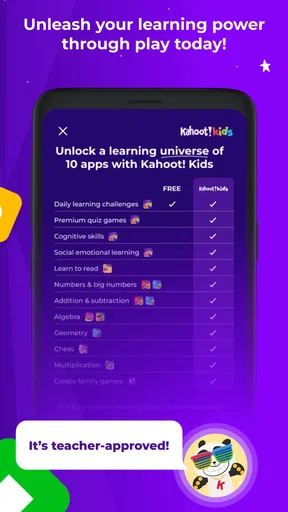
There are in-app purchases, with items priced from $5.99 to $47.99. I’d check the purchase flow with a parent present before letting a child explore independently, and make clear that downloading the game does not mean every extra is part of the free experience. That is a useful distinction for families trying to keep a child’s app use predictable.
If you’re choosing between a game and a structured learning programme, consider what you need most. This is a better fit for making practice inviting than for replacing a teacher, a workbook, or a carefully paced course. If you want a child to spend a few minutes revisiting reading or maths in a more playful setting, it has a clear role. If you need a screen-free activity, a detailed curriculum, or quiet independent study, another option may serve you better.
Final Thoughts
All in all, Kahoot! Kids: Learning Games is a fantastic tool for parents looking to supplement their child’s education with interactive learning. It’s user-friendly, packed with content, and most importantly, fun. While no app can replace traditional learning methods, this one does a stellar job at complementing them.
If you’re aiming to make learning a joyful experience for your kids, give Kahoot! Kids a try. It might just become their new favorite way to learn!
Pros
- Engaging interactive quizzes for kids.
- User-friendly interface with vibrant visuals.
- Wide variety of educational content.
- Encourages group participation and learning.
- Safe environment for children to explore.
Cons
- Limited offline features available.
- Requires stable internet connection.
- In-app purchases can be costly.
- Content may be too basic for older kids.
- Occasional app performance issues.
FAQs for Kahoot! Kids: Learning Games
What is Kahoot! Kids: Learning Games?
Kahoot! Kids: Learning Games is an educational app designed for children to engage in interactive learning through fun quizzes, games, and activities. The app supports various subjects, promoting critical thinking and problem-solving skills. It's a child-friendly version of the popular Kahoot! platform, tailored specifically for young learners.
Is Kahoot! Kids: Learning Games suitable for all age groups?
Kahoot! Kids is primarily designed for younger children, typically ranging from preschool to early elementary school ages. The content is crafted to match the cognitive and educational level of these age groups, ensuring that the activities are both fun and developmentally appropriate for young users.
Does Kahoot! Kids require an internet connection?
Yes, Kahoot! Kids generally requires an internet connection to access its full range of features and download new content. However, once certain games and quizzes are downloaded, children may be able to play some activities offline, providing flexibility for learning on the go.
Are there in-app purchases in Kahoot! Kids?
Kahoot! Kids offers a variety of free content but also includes optional in-app purchases to unlock additional features and content. Parents should be aware of this to manage spending and ensure that purchases align with their educational goals for their children.
Is parental supervision recommended while using Kahoot! Kids?
While Kahoot! Kids is designed to be child-friendly and easy to navigate, parental supervision is always recommended. This ensures that children are engaging with the content in a safe and educational manner, and parents can guide their learning experience effectively.


